
SIMnet Word Practice Test
$69.00
- Buy to unlock unlimited access to all Quiz questions.
- After purchase you can print a PDF of the whole quiz at any point. The PDF will contain the questions and the correct answers.
About this Exam
The SIMnet Word practice exam is a crucial resource for students, administrative professionals, and anyone seeking to validate their proficient use of Microsoft Word. SIMnet, McGraw Hill’s leading simulation-based learning and assessment platform, is widely adopted in educational institutions and corporate training programs to measure practical application skills rather than just theoretical knowledge. This specific practice test is designed to mirror the structure and complexity of a final evaluation conducted via SIMnet, ensuring users are fully prepared for the format they will encounter. Achieving a high score demonstrates not just an understanding of where buttons are located, but the ability to efficiently complete real-world document processing tasks using Microsoft Word.
This practice exam serves as a bridge for learners aiming to solidify their computer literacy skills or prepare for official Microsoft Office Specialist (MOS) certification, as SIMnet coursework frequently aligns with MOS exam objectives.
Ready to test your knowledge?
Buy Now to Access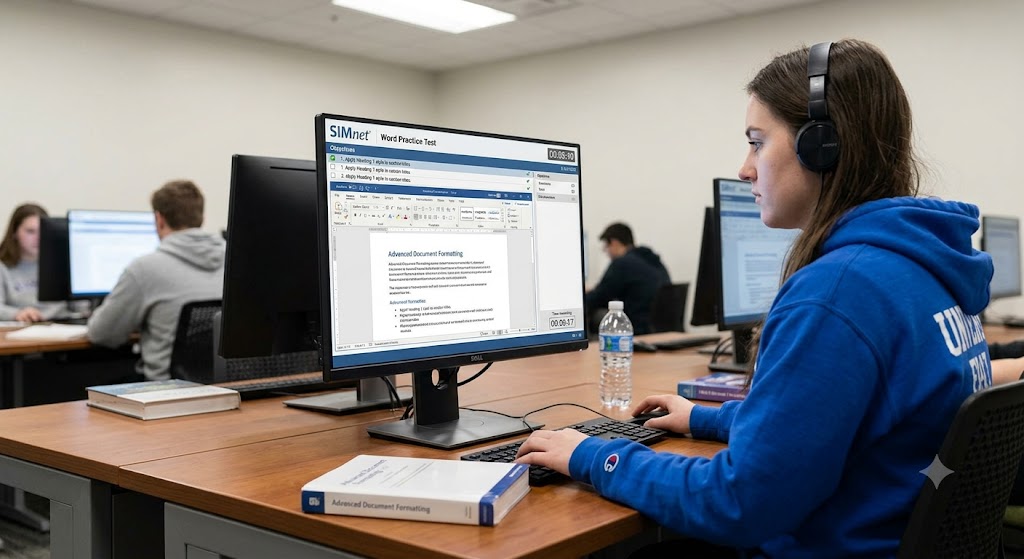
Additional Information
What the Course Entails and Exam Details
A standard SIMnet course for Microsoft Word typically guides users through sequential modules, building from fundamental operations to advanced techniques. The comprehensive syllabus covers creating and managing documents, formatting text and paragraphs, inserting and formatting diverse objects like images and shapes, creating tables and lists, and managing references such as footnotes and citations. More advanced curriculum includes collaborating on documents, tracking changes, using mail merge for bulk communication, and automating tasks with macros.
The final exam in a SIMnet context is not typically a broad, multiple-choice knowledge test; rather, it is a practical application exam conducted entirely within a high-fidelity simulation of the Microsoft Word application. The key details are:
Format: 100% practical performance-based questions.
Methodology: Students are presented with specific tasks (e.g., "Change the orientation of page 2 to landscape") and must perform the correct clicks and commands within the live-action simulation interface to complete the action.
Delivery: Often administered directly within the SIMnet platform via a secure browser connection or lab environment.
What to Expect in the Final Exam
When you sit for your finalized SIMnet Word exam, prepare for a focused, task-driven environment. Unlike traditional tests where you select answers from options, you are actively doing the work in a simulated Word interface. The specific constraints and expectations will vary slightly depending on the course administrator, but you can generally expect:
Task List: A clear panel listing several sequential tasks to complete within a limited time.
Time Management: Exams are usually timed (e.g., 60 minutes for 35 tasks), testing not only accuracy but also efficiency. There is often a timer clearly visible.
Passing Score: The passing benchmark is set by the specific institution or certification body using SIMnet (e.g., an 80% score might be required for academic credit or certification eligibility).
Rules of Conduct: These are strictly practical, typically closed-book. Attempting to access external materials, use shortcuts not included in the simulation, or collaborate is strictly prohibited. The system often tracks all interaction within the test window.
How to Study and Exam Centers
Effective preparation for a performance-based exam requires hands-on practice above all else. Reading a textbook is insufficient for a simulated skills assessment. Follow these actionable strategies:
Practice within SIMnet: Use the practice modules provided in your course repeatedly. SIMnet often allows you to practice individual tasks until you achieve 100% mastery.
Utilize this Practice Test: Treat this simulation as a dry run. Familiarize yourself with the interface, the specific wording of tasks, and the time pressure. Identify your weak areas and re-review those modules.
Simulate Exam Conditions: Set a timer and attempt a set number of tasks consecutively without interruptions, replicating the actual exam experience.
Review Official MOS Objectives: Since SIMnet often prepares you for official Microsoft Office Specialist exams, reviewing the published MOS objectives for Word provides a structured list of every skill you must master.
Where to Take the Exam: SIMnet is an institutional tool. You cannot typically purchase a standalone SIMnet exam voucher at a third-party Pearson VUE center. The exam is usually taken either in a physical computer lab at your college, high school, or training center, or through your institution's secure online learning portal, sometimes using proctoring software. Your course syllabus or instructor will provide specific details on scheduling and location.
Job Opportunities from the Course
Mastering Microsoft Word via SIMnet validation opens doors to numerous roles where efficient document creation, layout, and editing are essential. This proficiency is a foundational skill in the modern digital workplace. While this validation itself is an institutional achievement, the skills developed are directly transferable to professional careers and often lead to further official certification (MOS), unlocking positions such as:
Administrative Assistant
Executive Assistant
Secretary
Office Manager
Office Clerk
Data Entry Clerk
Receptionist
Project Coordinator
HR Coordinator
Legal Assistant (Basic Document Prep)
Content Creator / Copywriter
Desktop Publisher
Technical Writer (Entry Level)
Frequently Asked Questions
Reviews
5.0
Based on 0 reviews
Leave a Review
No reviews yet. Be the first to review!