
SIMnet Excel Practice Test
$69.00
- Buy to unlock unlimited access to all Quiz questions.
- After purchase you can print a PDF of the whole quiz at any point. The PDF will contain the questions and the correct answers.
About this Exam
The SIMnet Excel Practice Exam is a comprehensive assessment tool designed for students, educators, and professionals looking to validate and improve their proficiency in Microsoft Excel. Developed by McGraw-Hill, SIMnet (Simulated Information Network) is an online training and assessment platform used globally in academic settings and workforce development programs. This practice test is specifically crafted to mimic the structure, content, and rigor of a typical final assessment within a SIMnet Excel course. The target audience includes college and university students enrolled in introduction to business, computer science, or data analysis classes, as well as job seekers aiming to strengthen their digital skills for an increasingly data-driven market. By simulating the actual exam environment, it helps users build confidence and identify areas for targeted study.
Ready to test your knowledge?
Buy Now to Access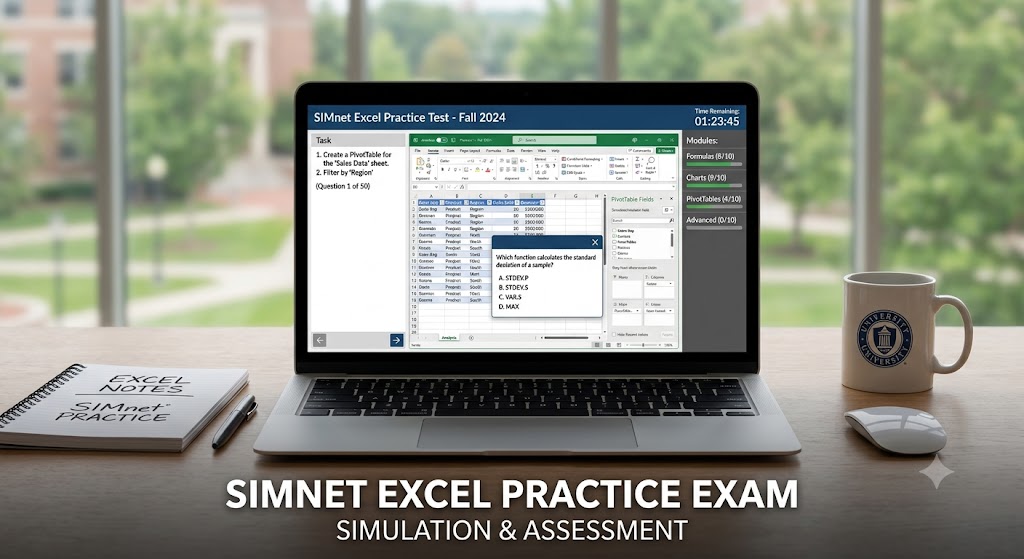
Additional Information
What the Course Entails and Exam Details
A SIMnet Excel course is a self-paced, interactive learning journey. It goes beyond simple observation by requiring users to perform tasks directly within a simulated Microsoft Office interface. The corresponding final assessment evaluates a broad spectrum of core and advanced Excel skills. The core topics covered in both the training modules and the final exam typically include:
Creating and Managing Worksheets: Working with rows, columns, and sheets, as well as data entry and basic formatting (fonts, alignment, borders).
Formulas and Functions: Mastering essential arithmetic operations, relative and absolute cell references, and common functions like SUM, AVERAGE, MIN, MAX, COUNT, and the logical IF function.
Managing and Organizing Data: Applying sorting and filtering, creating and formatting Excel Tables, and validating data input.
Data Visualization with Charts: Creating, modifying, and formatting various chart types (bar, line, pie, column) to represent data trends.
Formulas and Functions (Intermediate): Utilizing lookup functions (VLOOKUP, HLOOKUP, XLOOKUP), financial functions (PMT), and text manipulation (LEFT, RIGHT, CONCATENATE).
Data Analysis with PivotTables: Generating and customizing PivotTables and PivotCharts to summarize and analyze complex datasets.
Advanced Features: Exploring data analysis tools, Solver, scenario management, Macros, and linking or consolidating data.
The official course "details" are defined by the curriculum and instructor, but the practice test is structured to cover the full sweep of the typical course content, ensuring users are prepared for any question type or skill assessment.
What to Expect in the Final Exam
The final assessment within SIMnet is a digital proctored exam designed to evaluate your ability to solve real-world problems using Excel. While variations exist based on the specific academic program, students can generally expect the following:
Exam Format: The most common format is task-based practical application. Students are presented with a series of problems or objectives and must complete them by executing the correct steps directly in the SIMnet simulation environment, which behaves like live Microsoft Excel. Some exams may also include a limited number of multiple-choice or true/false conceptual questions.
Passing Score: The required passing score is set by the instructor or institution administering the exam. It is often challenging, with passing thresholds typically ranging from 70% to 80% to ensure students possess genuine competency.
Time Limit: Exams are almost always timed. Depending on the complexity and number of tasks (often between 30 and 60), the time limit can vary, commonly ranging from 60 minutes to 120 minutes. Time management is crucial for success.
Specific Rules: In academic settings, standard academic integrity rules apply. The SIMnet environment might restrict access to certain features, such as help menus, depending on the test settings.
How to Study and Exam Centers
Preparation is the key to conquering the SIMnet Excel final exam. Your primary study strategy must involve active interaction with the SIMnet platform itself. Actionable study strategies include:
Complete All SIMnet Training Modules: Do not skip the instructional lessons and 'show me' guides. The system is designed to provide guided practice; ensuring you understand the steps before moving on is fundamental.
Utilize the 'Practice Test' Mode: SIMnet often offers a dedicated practice mode for assignments or chapters. This is your best resource. Retake these practice assessments multiple times. Use the instant feedback function to identify your errors and understand the correct application of a skill.
Revisit Simulated Projects: Focus on the projects that require you to complete complex tasks, as they mirror the multi-step nature of exam questions.
Practice Under Time Pressure: As you become more confident, try to complete the practice tests without pausing or checking the solutions, simulating the high-stakes exam environment.
Regarding Exam Centers, the vast majority of SIMnet assessments are conducted directly within the online SIMnet portal (simnetonline.com). It does not typically use external physical testing centers like Pearson VUE, which are for external, formal certifications (like the Microsoft Office Specialist (MOS) exam). Students simply log in with their institutional credentials from any computer with internet access that meets SIMnet's technical specifications.
Job Opportunities from the Course
Mastery of Excel is one of the most transferable and sought-after professional skills in the modern job market. A successful completion of a SIMnet Excel course unlocks a wide array of career opportunities across various industries. It qualifies individuals for positions requiring data management, analysis, reporting, and administrative support. The key job opportunities and career paths unlocked by these skills include:
Data Analyst: Analyzing large datasets to extract meaningful insights and guide business decisions.
Financial Analyst: Creating financial models, budgeting, and analyzing investment performance.
Project Manager: Using Excel for project scheduling, budget tracking, and resource allocation.
Accountant: General ledger maintenance, accounts payable/receivable, and generating financial statements.
Marketing Analyst: Tracking campaign performance, analyzing customer data, and measuring ROI.
Administrative Assistant/Office Manager: Managing calendars, inventory tracking, payroll data, and general office reporting.
Human Resources (HR) Specialist: Compiling employee data, tracking benefits, and generating workforce reports.
Operations Manager: Managing supply chains, inventory, and production schedules.
Business Intelligence (BI) Analyst: Converting data into actionable business strategies and creating complex dashboards.
In addition to these specific roles, strong Excel skills are a foundational requirement for advancement in almost any modern business or technical career.
Frequently Asked Questions
Reviews
5.0
Based on 0 reviews
Leave a Review
No reviews yet. Be the first to review!