
CompTIA A+ Software Troubleshooting Practice Test Core 2 Exam 220-1102
$69.00
- Buy to unlock unlimited access to all Quiz questions.
- After purchase you can print a PDF of the whole quiz at any point. The PDF will contain the questions and the correct answers.
About this Exam
Are you looking to break into the dynamic world of Information Technology? Then the CompTIA A+ certification is your golden ticket. The Core 2 (220-1102) exam specifically validates your skills in administering and troubleshooting operating systems, ensuring security, and handling software-related issues on various platforms. This foundational credential is designed for entry-level IT professionals, help desk technicians, technical support specialists, and anyone aiming to establish a robust career in tech. Successfully tackling the software troubleshooting portion demonstrates you have the problem-solving abilities that employers highly value.
Ready to test your knowledge?
Buy Now to Access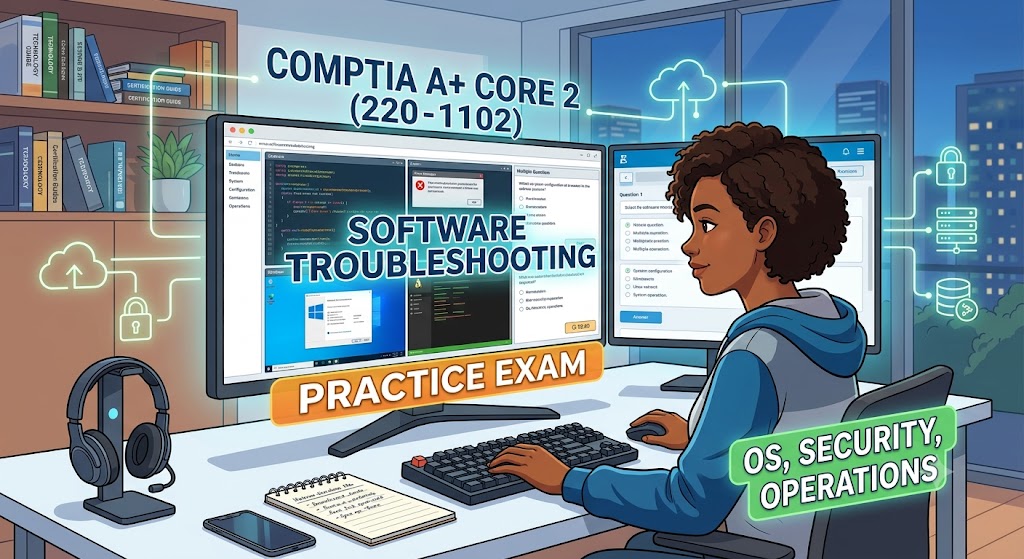
Additional Information
What the Course Entails and Exam Details
The CompTIA A+ Core 2 exam (220-1102) focuses heavily on the essential software components that keep modern businesses running smoothly. While the overall A+ certification includes hardware (covered in Core 1), this particular exam dives deep into:
Operating Systems (31%): Mastering Windows installation, configuration, and command-line usage, alongside an understanding of Mac, Linux, and mobile OS environments.
Security (25%): Recognizing and mitigating software security threats, implementing physical and data disposal procedures, and securing various device types.
Software Troubleshooting (22%): Diagnosing and resolving common OS, application, and security problems on both desktop and mobile platforms.
Operational Procedures (22%): Understanding best practices for documentation, safety, communication, professionalism, and managing environmental impacts in an IT setting.
Your studies will prepare you to manage users and groups, configure network settings on clients, troubleshoot common software errors, remove malware, and implement security controls.
What to Expect in the Final Exam
The CompTIA A+ Core 2 (220-1102) exam is a comprehensive assessment of your practical knowledge and problem-solving skills. Here is a breakdown of what to anticipate on test day:
Exam Code: 220-1102
Number of Questions: A maximum of 90 questions.
Type of Questions: The exam features a mix of standard multiple-choice (single and multiple answer), drag-and-drop, and, critically, Performance-Based Questions (PBQs). PBQs test your ability to perform tasks in simulated real-world scenarios, such as troubleshooting a software issue within a mock operating system interface.
Time Limit: You will have 90 minutes to complete the exam.
Passing Score: The passing score for 220-1102 is 700 (on a scale of 100-900).
Recommended Experience: While not strictly required, CompTIA recommends at least 9 to 12 months of hands-on experience in the lab or field before taking the exam.
Exam Delivery: The exam is administered via a computer-based platform (Pearson VUE) and is proctored, ensuring a secure testing environment.
How to Study and Exam Centers
Achieving your CompTIA A+ Core 2 certification requires dedicated preparation. Employ a multi-faceted study strategy to build both theoretical knowledge and practical skills:
Official Resources: Utilize CompTIA's official training materials, including the comprehensive CertMaster Learn, CertMaster Labs for hands-on practice, and official study guides. These resources are specifically aligned with the exam objectives.
Practice Tests: Regularly take high-quality practice exams. These simulate the actual test environment, help identify knowledge gaps, familiarize you with the question formats (especially PBQs), and improve time management. This is crucial for focusing on the software troubleshooting and application of OS knowledge.
Get Hands-On: Create your own virtual labs using virtualization software like VirtualBox or VMware Player. Practice installing operating systems (Windows, Linux), configuring settings, running troubleshooters, removing simulated malware, and exploring security features. There is no substitute for actual experience.
Online Training & Forums: Participate in online courses from platforms like Coursera, Udemy, or LinkedIn Learning. Engage with IT communities and forums to ask questions, share insights, and learn from others' experiences.
Study Groups: Collaborate with peers studying for the same exam to discuss challenging concepts and quiz each other.
Where to Take the Exam:
CompTIA exams are administered by Pearson VUE. You have flexibility in how you take the test:
Authorized Testing Centers: Pearson VUE operates thousands of secure physical testing locations worldwide. These are often located in technical schools, community colleges, and professional training facilities. You can find a local center and schedule your exam through the Pearson VUE website.
Online Testing (OnVUE): Pearson VUE also offers online proctored exams, allowing you to take the test from the comfort and privacy of your home or office. This requires a stable internet connection, a quiet environment, a computer with a webcam, and strict adherence to proctoring guidelines.
For either option, you must purchase an exam voucher from the CompTIA Store and then schedule your specific test date, time, and method through the Pearson VUE website.
Job Opportunities from the Course
Earning your CompTIA A+ certification, including passing the Core 2 (220-1102) exam, significantly boosts your credibility and employability in the IT industry. This credential, especially with its strong emphasis on OS, security, and software troubleshooting, qualifies you for numerous in-demand roles. Here are some key career paths and specific job titles that this certification can unlock:
Help Desk Analyst: A common entry point, providing technical assistance to users over the phone, email, or chat. Focusing on software troubleshooting, application support, and resolving operating system issues.
Service Desk Technician: Managing and responding to IT service requests and incidents, ensuring systems and software run efficiently for employees.
Technical Support Specialist: A broader role that involves diagnosing and solving various technical problems, both hardware and software, for clients or within an organization.
Tier I / Tier II IT Support: Providing progressive levels of technical support. A+ prepares you well for Tier I responsibilities and builds a foundation for advancing to Tier II, which involves more complex problem resolution.
Field Service Technician: Traveling to client locations to install, maintain, and repair computers, networks, and software systems.
Desktop Support Analyst: Focusing specifically on supporting end-user desktop environments, including operating systems, software applications, and peripheral devices.
Junior Network Administrator: Assisting in the setup, configuration, and maintenance of an organization’s computer networks, where software configuration and security are critical.
IT Support Administrator: A role with broader responsibilities in managing IT infrastructure, user accounts, and software deployment within a company.
Data Support Technician: Maintaining data systems and ensuring users have access to the necessary software and data resources.
End User Computing Technician: Providing support for all end-user technologies, focusing on a seamless and secure software and OS experience.
By combining your CompTIA A+ certification with experience and further specialization, you can advance your career into roles like Network Engineer, Systems Administrator, Cyber Security Analyst, or IT Manager. The Core 2 exam provides the essential software and troubleshooting foundation necessary for all these successful IT careers.
Frequently Asked Questions
Reviews
5.0
Based on 0 reviews
Leave a Review
No reviews yet. Be the first to review!