
CompTIA A+ Practice 4 OLD
$69.00
- Buy to unlock unlimited access to all Quiz questions.
- After purchase you can print a PDF of the whole quiz at any point. The PDF will contain the questions and the correct answers.
About this Exam
The CompTIA A+ certification is the industry standard for establishing a career in IT. It validates the foundational skills required by entry-level IT professionals, covering everything from networking and operating systems to mobile devices and security. However, this particular material, [CompTIA A+ Practice 4 OLD], represents a practice resource that is now considered old or retired by CompTIA. It was designed to prepare candidates for a prior series of the A+ objectives (e.g., the 1000 series, 900 series, or earlier). While the fundamental technical concepts it covers—such as the basic operation of hardware, troubleshooting methodologies, and networking basics—remain relevant, the specific technologies, software versions, and exam weightings reflect an outdated IT landscape. This study guide is designed to help you understand what this practice material represented and how you can contextually use it to support your journey toward the current CompTIA A+ certification (the 220-1101 and 220-1102 series). It was historically designed for aspiring technical support specialists, field service technicians, and help desk technicians who needed to demonstrate core competency in an earlier generation of technology.
Ready to test your knowledge?
Buy Now to Access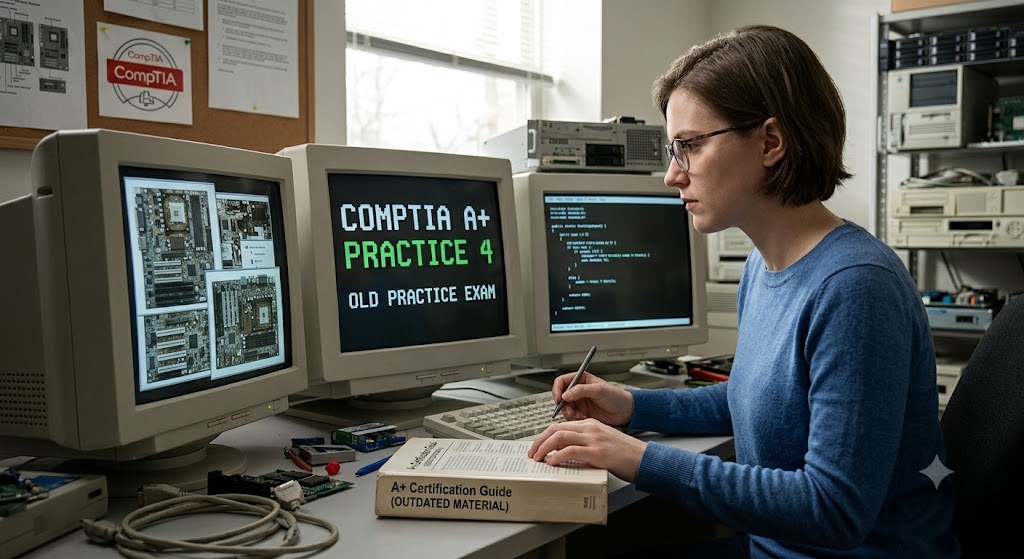
Additional Information
What the Course Entails and Exam Details
This practice material was structured around the older
CompTIA A+ exam objectives, typically divided into two exams that candidates
had to pass to become certified. The "Core 1" equivalent focused on
hardware, mobile devices, and networking. The "Core 2" equivalent
emphasized operating systems, security, and operational procedures.
The old objectives covered core areas like:
- Mobile
Devices: Historically focused heavily on device synchronization, basic
hardware repair (which is less common now), and configuring older mobile
OS versions.
- Networking
Technology: Basic conceptual knowledge of ports, protocols, and
setting up older SOHO (Small Office/Home Office) networks.
- Hardware:
Deep knowledge of legacy hardware standards, such as older RAM types, CPU
sockets, and storage interfaces (e.g., IDE/PATA), as well as basic printer
maintenance for older models.
- Virtualization
and Cloud Computing: An introduction to concepts, but with less
emphasis on modern cloud service models (IaaS, PaaS, SaaS) and deployment
methods that are critical today.
- Operating
Systems: Heavy focus on older versions of Windows (e.g., Windows 7,
8/8.1) and basic command-line navigation.
- Security:
Foundational physical and logical security concepts, but potentially
missing critical modern topics like ransomware mitigation, advanced social
engineering, and IoT security.
- Operational
Procedures: Best practices for safety, communication, and
professionalism, which remain vital.
The detailed, modern equivalents reflect an updated and
broader technical scope.
What to Expect in
the Final Exam
Since this is an "OLD" practice exam, we must
distinguish between the format of the older retired exams and the current
standard. Historically, the individual CompTIA A+ exams (e.g., Core 1 and Core
2) followed a standard structure. They were typically linear, computer-based
tests. You could expect approximately 90 questions per exam. These questions
were primarily multiple-choice (single and multiple select), but also included
CompTIA's signature "performance-based questions" (PBQs). PBQs are
interactive simulations that require you to perform tasks in a virtual
environment, testing your practical, hands-on ability rather than just book
knowledge. You were given 90 minutes to complete each exam. To pass, you
typically needed a score of around 675 out of 900 for Core 1, and 700 out of
900 for Core 2. It's crucial to remember that these specifics are for the
retired exam versions. The current A+ exams maintain this general structure but
are updated with modern objectives.
How to Study and
Exam Centers
Studying with an OLD practice resource requires strategic
contextualization. You cannot rely on this material as your primary source for
passing the current exam, but it still offers value. First, you must obtain the
official exam objectives for the current CompTIA A+ series (220-1101 and
220-1102) from the CompTIA website. This list is your ultimate study checklist.
When using "CompTIA A+ Practice 4 OLD," contrast its content against
the modern objectives. For legacy technologies (e.g., older RAM standards or
Windows 7 troubleshooting), use the material to build foundational
understanding, then research their modern replacements (e.g., current DDR
standards and Windows 10/11 troubleshooting). This approach sharpens your
technical adaptation skills. Supplement your studying with current resources,
such as official CompTIA CertMaster products, reputable online video courses,
and up-to-date textbooks. Focus heavily on hands-on practice; build a lab or
use virtualization software to practice configuration and troubleshooting on
modern operating systems. Finally, for the actual modern exam, you do not take
the 'old practice'; you schedule the current exams. These are
administered by Pearson VUE, which provides two primary options. You can take
the exam in person at a highly regulated physical testing center, often located
at authorized schools or dedicated testing facilities. Alternatively, you can
utilize Pearson VUE's OnVUE system, which allows you to take the exam remotely
from the comfort of your home or office, provided you meet strict technical and
environment requirements and are monitored by a remote proctor.
Job Opportunities
from the Course
Obtaining the current CompTIA A+ certification, built
on the solid technical foundation derived from studying core concepts, opens
the door to a wide array of essential IT support roles. While the technology
has evolved from what was covered in the "OLD" material, the demand
for certified, adaptable professionals remains exceptionally high. The current
A+ certification unlocks career paths in various critical sectors.
Job opportunities include:
- Help
Desk Technician
- Tier
1 Support Specialist
- Desktop
Support Analyst
- IT
Support Associate
- Junior
Network Administrator
- Computer
Technician
- Field
Service Technician
- System
Support Specialist
- Data
Center Technician (Entry Level)
<!--[if mso & !supportInlineShapes & supportFields]> SHAPE \* MERGEFORMAT <![endif]--><!--[if gte vml 1]>
This certification serves as a powerful launchpad, often
acting as a prerequisite for more advanced certifications and specialized roles
in cybersecurity, network engineering, and cloud administration.
Frequently Asked Questions
Reviews
5.0
Based on 0 reviews
Leave a Review
No reviews yet. Be the first to review!