
CompTIA A+ Hardware and Network Troubleshooting Practice Test
$69.00
- Buy to unlock unlimited access to all Quiz questions.
- After purchase you can print a PDF of the whole quiz at any point. The PDF will contain the questions and the correct answers.
About this Exam
Welcome to your essential preparation resource for the CompTIA A+ certification, the industry standard for establishing a career in IT. This specific practice test focuses on the critical domains of Hardware and Network Troubleshooting, designed specifically for aspiring IT support professionals. Whether you are aiming to become a help desk technician, field service specialist, or desktop support analyst, this test will validate your ability to diagnose and resolve common technical issues efficiently. This resource is designed for students and entry-level technicians seeking a comprehensive review to build confidence before sitting for the actual CompTIA A+ core exams.
Ready to test your knowledge?
Buy Now to Access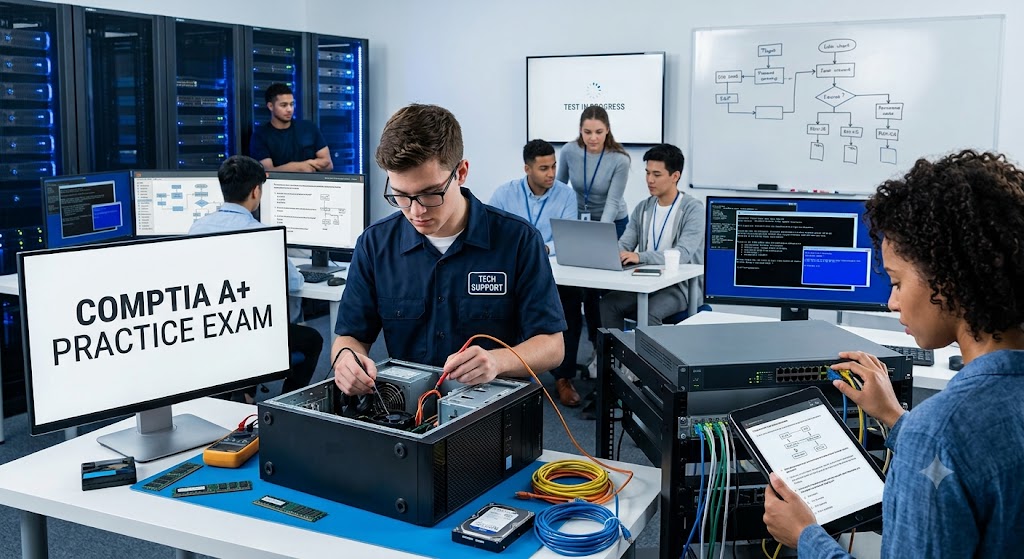
Additional Information
What the Course Entails and Exam Details
The core content for this practice test aligns with the troubleshooting methodologies required for the CompTIA A+ Core 1 (220-1101) and Core 2 (220-1102) exams. You will be tested on your ability to apply appropriate troubleshooting processes to solve problem scenarios. Specifically, the content entails:
Applying the CompTIA 6-step troubleshooting methodology to diagnose hardware and software issues.
Troubleshooting and resolving problems with storage devices, RAID arrays, and hard drives.
Identifying and resolving common motherboards, RAM, CPU, and power issues.
Diagnosing and fixing printing problems, including connectivity, paper jams, and print quality.
Resolving common wired and wireless networking problems, including IP addressing issues, connectivity loss, and slow speeds.
Troubleshooting and solving problems related to mobile device hardware, such as display issues, battery problems, and connectivity.
Fixing software installation issues, OS startup problems, and performance issues on Windows, macOS, and Linux.
What to Expect in the Final Exam
When you take the actual CompTIA A+ certification exams (Core 1 and Core 2), you can expect a demanding evaluation process. The exams typically consist of a maximum of 90 questions per test. The question formats include both multiple-choice (single and multiple response) and performance-based questions (PBQs). PBQs test your ability to solve problems in a simulated environment, which is highly relevant to troubleshooting skills.
You will have 90 minutes to complete each exam. The passing score for the Core 1 exam is 675 (on a scale of 100-900), and for the Core 2 exam, it is 700. These are rigorous standards designed to ensure that certified individuals possess the necessary skills to succeed in the workplace. The exam is closed-book, and strict testing rules apply regarding personal items and assistance.
How to Study and Exam Centers
Effective preparation is key to succeeding on the CompTIA A+ troubleshooting components. Here are actionable study strategies:
Gain practical, hands-on experience by building computers, setting up networks, or working in a help desk environment. Troubleshooting is a practical skill that is best learned by doing.
Utilize official CompTIA study guides, CertMaster products, or other highly-rated A+ preparation textbooks. These provide a structured learning path.
Practice tests like this one are essential. Use them to identify areas where you need more study, understand the types of troubleshooting scenarios you will encounter, and build your confidence.
Work through as many simulation exercises as possible. These prepare you for the performance-based questions that are a critical component of the actual exam.
Join online communities or study groups to discuss troubleshooting techniques and get help with complex concepts.
When you are ready to take the final exam, you will need to schedule it through Pearson VUE, which is CompTIA's official testing partner. You can choose to take the exam online through the Pearson VUE OnVUE platform, which allows you to test from the comfort of your home or office. Alternatively, you can locate and schedule your exam at a designated physical testing center, such as an authorized school or testing facility.
Job Opportunities from the Course
Earning your CompTIA A+ certification validates your ability to handle hardware and network troubleshooting effectively, opening doors to a wide range of entry-level and intermediate IT positions. Here are some common job opportunities that this certification unlocks:
IT Support Specialist
Help Desk Technician
Field Service Technician
Technical Support Associate
Tier II Help Desk Support
Desktop Support Analyst
Associate Network Engineer
Junior System Administrator
PC Technician
Entry-Level Data Center Technician
Frequently Asked Questions
Reviews
5.0
Based on 0 reviews
Leave a Review
No reviews yet. Be the first to review!