
Apple Device Support Practice Test
$69.00
- Buy to unlock unlimited access to all Quiz questions.
- After purchase you can print a PDF of the whole quiz at any point. The PDF will contain the questions and the correct answers.
About this Exam
The Apple Device Support Exam is a premier certification designed to validate your technical proficiency in troubleshooting and supporting Apple hardware and software. This rigorous assessment is perfect for IT professionals, help desk technicians, Apple Store employees, and anyone aiming to launch a career in technical support. Earning this certification demonstrates your ability to manage the full lifecycle of Apple devices, including setup, configuration, maintenance, and basic troubleshooting. By passing this exam, you prove to employers that you possess the essential skills to provide exceptional technical support in an increasingly Apple-integrated world.
Ready to test your knowledge?
Buy Now to Access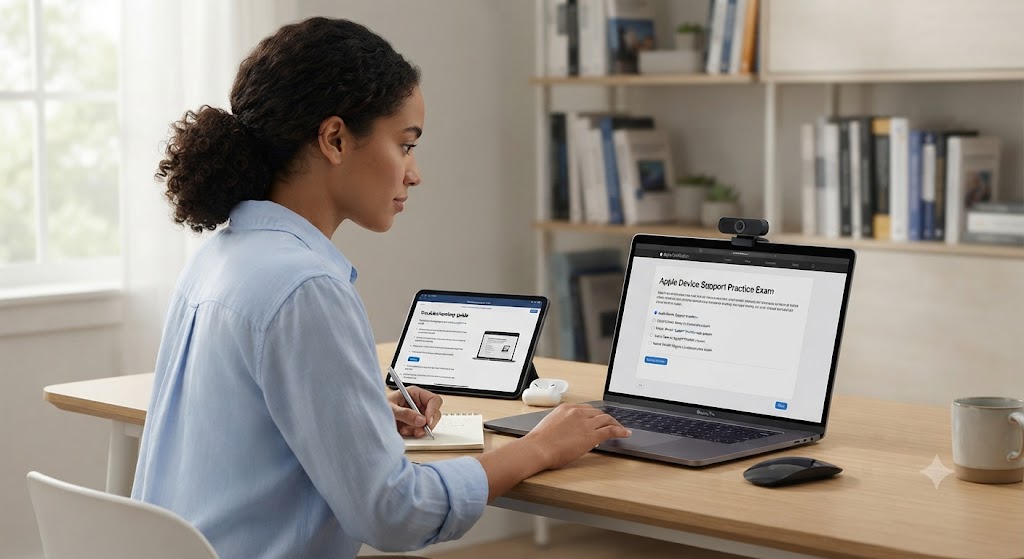
Additional Information
What the Course Entails and Exam Details
The Apple Device Support course (often taken in preparation for the exam) provides a deep dive into the macOS and iOS ecosystems. The curriculum is structured to build a solid foundation of knowledge, covering critical areas such as:
- macOS and iOS Fundamentals: Understanding the core architecture, file systems, and user interfaces of both operating systems.
- Installation and Configuration: Mastering the processes for installing macOS and iOS, setting up user accounts, and configuring system preferences.
- Managing Apple Devices: Learning how to use tools like Apple Configurator and Mobile Device Management (MDM) profiles for deployment and management.
- Network Essentials: Gaining expertise in configuring network settings, troubleshooting connectivity issues, and understanding essential protocols like Wi-Fi and VPN.
- Security and Privacy: Exploring the robust security features built into Apple devices, including FileVault, Gatekeeper, and Activation Lock.
- Troubleshooting Methodology: Developing a systematic approach to diagnosing and resolving common hardware and software problems, including peripheral issues, printing, and application failures.
What to Expect in the Final Exam
The Apple Device Support Exam is a proctored, online exam that rigorously tests your practical knowledge and problem-solving abilities.
- Exam Format: The exam consists of approximately 60-70 multiple-choice questions. Many of these questions are scenario-based, requiring you to apply your knowledge to real-world technical support situations. You may also encounter interactive questions that simulate the macOS or iOS interface.
- Time Limit: You will have 90 minutes to complete the exam.
- Passing Score: The passing score is typically around 80%, though this can vary slightly depending on the specific exam version.
- Testing Environment: The exam is taken online through a secure testing platform. It is proctored, meaning your webcam and microphone will be monitored throughout the session. You must ensure you have a quiet, private location and a stable internet connection.
How to Study and Exam Centers
Achieving this certification requires dedicated study and hands-on practice. Here is a comprehensive strategy to help you prepare:
- Official Apple Training: The most reliable study resource is the official Apple Device Support courseware, available through the Apple Training website. This self-paced curriculum covers all exam objectives in detail.
- Hands-on Practice: This is crucial. Do not rely solely on theory. Spend as much time as possible working with both macOS and iOS devices. Practice installing the OS, configuring settings, and troubleshooting common issues on real hardware or virtual machines.
- Apple Support Resources: Regularly explore the Apple Support website and Apple Support Communities. Reading through real-world user issues and the official solutions will give you invaluable practical insight.
- Third-Party Study Guides: Supplement your learning with study guides and practice tests from reputable third-party providers like Pearson IT Certification.
- Practice Tests: Taking multiple practice exams is one of the most effective ways to prepare. This will help you become familiar with the question format, identify areas where you need more study, and build your confidence.
Exam Registration and Centers:
- Where to Register: You must register for the exam through the official Apple Certification program website.
- Exam Delivery: The exam is delivered exclusively online through a Pearson VUE-provided testing platform. You do not need to travel to a physical Pearson VUE testing center. The exam is taken from your home or office, subject to the proctoring requirements mentioned above.
Job Opportunities from the Course
Earning the Apple Device Support certification opens the door to a variety of rewarding IT and technical support roles. Employers in diverse industries, including education, enterprise, and retail, value this credential.
Specific job titles and career paths you can pursue include:
- Help Desk Technician: Provide first-line technical support to end-users, resolving software and hardware issues on Apple devices.
- Desktop Support Specialist: Offer more advanced, hands-on support for Mac computers and iOS devices within an organization.
- AppleCare Technical Support Advisor: Work directly for Apple, providing remote support to customers via phone or chat.
- IT Support Specialist: Manage and maintain the Apple device infrastructure within a company or school district.
- Field Service Technician: Travel to client sites to repair and support Apple hardware.
- Technical Trainer: Develop and deliver training programs on Apple technologies for other support staff or end-users.
- Apple Store Genius: Work at the Genius Bar in an Apple Retail Store, diagnosing and resolving customer technical issues.
Frequently Asked Questions
Reviews
5.0
Based on 0 reviews
Leave a Review
No reviews yet. Be the first to review!