
Adobe Premiere Domain 2 Practice Exam
$69.00
- Buy to unlock unlimited access to all Quiz questions.
- After purchase you can print a PDF of the whole quiz at any point. The PDF will contain the questions and the correct answers.
About this Exam
Welcome to your study guide for the [Adobe Premiere Pro Domain 2] Practice Exam. This resource is specifically tailored to help students and aspiring video editors prepare for a crucial segment of the Adobe Certified Professional in Digital Video Using Adobe Premiere Pro certification.
Domain 2, "Setting Up a Project and the Interface," is the foundation of any successful video editing workflow. It tests your ability to initialize a project, import various media types, and efficiently organize your assets. Furthermore, it assesses your mastery of the Premiere Pro workspace, ensuring you can customize your interface for maximum productivity. This practice exam and guide are designed for early-career editors and students who have foundational knowledge of the software and wish to validate their skills.
Ready to test your knowledge?
Buy Now to Access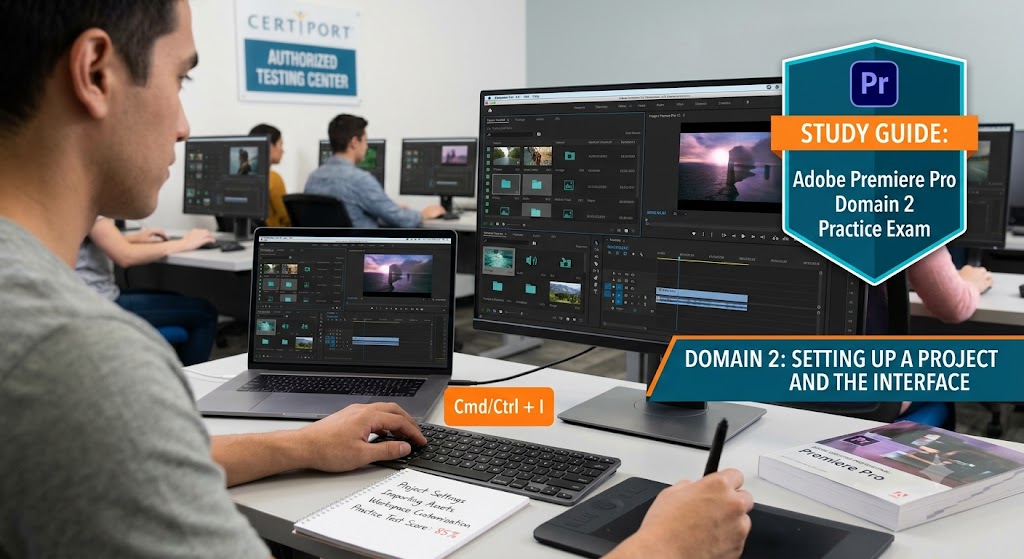
Additional Information
What the Course Entails and Exam Details
This practice exam focuses purely on the objectives within
Domain 2 of the official Adobe Certified Professional (ACP) syllabus. Success
here demonstrates that you can start an edit on the right foot, which is
critical in a professional production environment.
Core Topics Covered:
- Creating
and Configuring Projects: Understanding project settings, scratch
disks, and ingest settings.
- Importing
Media: Importing various formats, including video, audio, and still
images, from camera cards, local drives, or cloud storage.
- Organizing
Assets in the Project Panel: Mastering the use of Bins, List and Icon
views, metadata, and the Search bin feature.
- Managing
Sequences: Creating sequences based on clip properties and organizing
multiple sequences within a project.
- Workspace
Customization: Understanding the function of key panels (Source
Monitor, Program Monitor, Timeline, Project Panel, Effects, Audio Track
Mixer) and saving custom workspace layouts.
What to Expect in
the Final Exam
While this is a practice exam, it is crucial to understand
the format of the official Adobe Certified Professional exam. The ACP
for Premiere Pro is a rigorous, 50-minute test.
The full exam consists of:
Linear Questions:
Traditional question types, such as multiple-choice (single and multiple
answer), matching, and "hot spot" questions. These test your
knowledge of terminology, workflows, and best practices.
Performance-Based Task
(In-App): This is the most critical part. You will be asked to perform
actual tasks directly within the Adobe Premiere Pro software running in
a simulated environment. For Domain 2, this might involve tasks like
"Create a new bin named 'B-Roll'," "Import the file
'background.jpg'," or "Reset the workspace to the 'Assembly'
layout."
Passing Score: The official passing score is
typically 700 out of 1000. You will receive your results immediately upon
completing the exam.
How to Study and
Exam Centers
Preparation is key, and the best way to study is a
combination of theoretical knowledge and hands-on application.
Study Strategies:
- Hands-on
Practice: Don't just read about the interface—use it! Practice
creating new projects from scratch. Ingest a messy folder of footage and
organize it into a logical bin structure using metadata. Create custom
workspaces for specific tasks like logging or audio mixing.
- Official
Objectives: Download and review the official Adobe Certified
Professional Premiere Pro Exam Objectives from the Certiport website.
These provide a precise list of what you must know.
- Take
Practice Exams: Use this [Adobe Premiere Pro Domain 2] Practice Exam
to assess your baseline. Take it in "testing mode" without hints
to simulate the real environment. Analyze your results to identify your
weak points.
- Watch
Official Tutorials: Adobe offers excellent, free tutorials on the
absolute basics of setting up projects and learning the interface. These
align perfectly with Domain 2.
Exam Centers:
The Adobe Certified Professional exam is administered by
Certiport. You can take the exam through Certiport Authorized Testing Centers
(CATCs). These are often located in high schools, colleges, and commercial
testing facilities. You can search for a center near you on the Certiport
website. Some institutions also offer "Exams from Home" options.
Job Opportunities
from the Course
Earning your Adobe Certified Professional certification is a
major achievement that validates your skill set to potential employers. While
it is an entry-level credential, it unlocks several key career paths:
- Assistant
Editor: A primary role that focuses heavily on Domain 2 skills:
organizing footage, creating syncing sequences, and managing project
assets.
- Video
Editor: For independent creators and smaller production companies,
this certification proves you possess the foundational speed and
efficiency to manage edits from ingestion to export.
- Social
Media Video Producer: Companies hiring for social media roles need
editors who can quickly and reliably turn around content.
- Content
Creator / YouTuber: While not a traditional employment role, this
certification ensures your internal workflow is professional and scalable.
- Multimedia
Specialist: Many corporate and educational organizations hire
specialists who manage various forms of media, including video.
Frequently Asked Questions
Reviews
5.0
Based on 0 reviews
Leave a Review
No reviews yet. Be the first to review!